
Power Line Inspection Drone Simulator Recommendations for Effective Utility Training
2026-09-04
When utility crews first practice power line inspection maneuvers, one wrong stick input can mean a damaged drone, a downed line, or worse. That’s why simulator training has shifted from nice-to-have to non-negotiable. But not all simulators are built for the unique demands of flying near energized conductors, towers, and tangled urban corridors. In this guide, we sort through the most practical recommendations for choosing and using a power line inspection drone simulator—and show how SRIZFLY fits into a training program that actually sticks.
Start with a Simulator That Replicates Utility-Specific Flight Demands
Generic drone simulators teach basic stick control, but they rarely capture the peculiar demands of utility work. Flying along a sagging transmission line, holding position inside a turbine nacelle's turbulent wake, or threading between conductors near a substation requires more than smooth inputs. A simulator built for this sector must model the electromagnetic interference that nudges compasses off heading, the sudden gusts funneled through narrow right-of-ways, and the visual clutter that makes depth perception unreliable at close range.
The best approach is to load the simulator with real asset geometry and environmental data from actual utility corridors. For example, a power line inspection module should reproduce the exact conductor spacing, insulator string sway, and tower lattice shadows that a pilot will encounter. The flight model needs to account for rotor wash reflecting off steel structures, reduced GPS accuracy under canopy or near high-voltage lines, and the extra inertia of a LiDAR or thermal payload. These elements push the simulation beyond entertainment-grade physics into a rehearsal tool for line-of-sight and BVLOS missions.
Once the simulator mirrors these utility-specific flight demands, training shifts from generic maneuvers to mission readiness. Pilots can practice emergency descents after a motor failure while hovering next to a live busbar, or rehearse blade inspections on a wind turbine with shifting crosswinds. The result is a measurable drop in close-call incidents and equipment damage, because the operator has already felt the aircraft struggle against the same forces they will face on site.
Prioritize Scenarios with Sag, Span, and Conductor Clearance Challenges
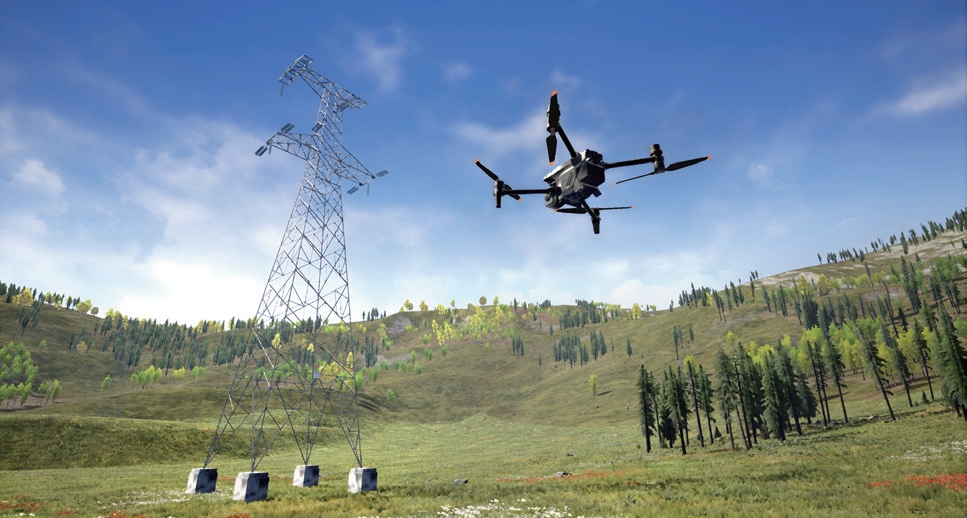
Field reviews often reveal that the most demanding clearance cases are not the longest spans or the highest temperatures taken in isolation, but the places where those two conditions overlap with uneven terrain and existing vegetation. A line section crossing a shallow valley may sag more than the profile suggests once a hot, still afternoon follows several days of high electrical loading. Treating nominal clearances as fixed values misses how much conductor movement varies from one structure to the next.
One practical way to rank these scenarios is to plot the worst-case sag for every span under a consistent set of thermal and ice assumptions, then flag any location where the resulting conductor position comes within a small buffer of ground, road, or crossing obstacles. Spans with high attachment point differences, long ruling spans, or abrupt changes in conductor tension deserve extra attention because small errors in survey data or weather assumptions tend to magnify there.
Clearance checks also need to account for the fact that conductor behavior is not static once wind or ice enters the picture. Blow-out angles can push a conductor sideways toward objects that a vertical sag calculation would ignore, and ice shedding can produce sudden vertical movement. Prioritizing those interactions—rather than only checking still-air vertical clearance—helps field crews and designers focus on the small number of spans that actually drive risk.
Look for Adjustable Weather and Electromagnetic Interference Settings
Outdoor sensors and communication modules often fail when exposed to heavy rain, dense fog, or nearby power lines. A device with adjustable weather compensation can automatically tune its detection threshold based on humidity, temperature, and precipitation levels. This prevents false triggers during storms while keeping sensitivity high on clear days.
Electromagnetic interference from motors, transformers, or wireless equipment can be just as disruptive as weather. Adjustable EMI filtering lets you reduce noise from specific frequency ranges without compromising the main signal. Look for a setting that offers multiple filter levels rather than a simple on/off switch, so you can match the filter strength to your local interference pattern.
In practice, the best units combine both weather and EMI adjustments in a single menu. That way, you can compensate for a rainy season and a nearby factory without swapping hardware or repositioning the sensor. A quick test after each adjustment helps confirm that real events still register while nuisance alerts drop to near zero.
Choose Platforms That Support Hardware Controller Integration
Picking a platform without checking its controller support first is a fast way to frustrate your users. A decent integration layer should recognize common USB and Bluetooth gamepads, map axes and buttons automatically, and let players remap inputs without touching config files. If a platform only treats controllers as keyboards or mice, you will spend hours patching edge cases.
Beyond basic recognition, look for low-latency input handling and hot-swap support. Players expect to plug in a controller mid-game and keep playing. Some platforms handle this gracefully by firing device-change events, while others need a full restart. SDK quality matters too: clear callbacks for button presses, stick movement, and trigger depth save a lot of guesswork.
Do not overlook the community track record. A platform with active forums, example projects, and regular driver updates will save you from dead-end bugs. Test your target controllers on the actual hardware before committing. What works in a simulator often breaks on a real device once vibration, motion sensors, or audio passthrough enter the mix.
Build a Progression from Hovering to Live-Line Inspection
Start with hover drills that feel almost boring: hold the aircraft steady at eye level for five minutes, then ten, in light wind and then in gusty conditions. Once hovering becomes second nature, shift to slow forward flight along a marked corridor, keeping the camera locked on a static target. This builds the muscle memory needed before adding the complexity of a real power line.
The jump to live-line work should not be sudden. Introduce a de-energized training line first, asking the pilot to fly parallel at a set distance while maintaining altitude and framing a specific insulator. After that, move to supervised flights near an energized line, with brief inspection passes and a clear abort point for any drift or signal issue.
Build the final stage around decision-making under field conditions: varying light, radio interference, and tired hands. Have the pilot narrate what they see and what they plan to do next, so the progression ends with a confident, self-correcting approach rather than just stick time.
Measure Pilot Readiness with Utility-Focused Performance Metrics
Traditional pass/fail checkrides often miss the subtle signals that indicate whether a pilot is truly ready for real-world demands. By shifting attention to utility-focused performance metrics—such as decision latency under partial system failures, fuel management accuracy across variable conditions, and recovery quality after unexpected deviations—operators gain a more practical read on readiness. These measures reflect what pilots actually do in the cockpit, not just what they can reproduce in a scripted evaluation.
A key advantage of this approach is that it treats readiness as a range rather than a single threshold. Tracking trends in workload tolerance, communication clarity during high-tempo phases, and error correction speed helps instructors spot pilots who might pass a standard test yet still struggle when multiple variables shift at once. This makes the assessment feel less like a gatekeeping exercise and more like a diagnostic tool for targeted improvement.
Adopting utility-focused metrics also aligns training priorities with operational outcomes. Instead of drilling isolated maneuvers to perfection, crews practice managing trade-offs—like balancing fuel reserves against weather deviations—while their performance is scored on how well those choices preserve safety margins and mission effectiveness. Over time, this builds a more resilient readiness profile that holds up under pressure.
FAQ
A useful one recreates electromagnetic interference, wire sag under load, and conductor proximity warnings, not just stick time. Basic trainers teach hovering; inspection simulators force you to manage camera angles, maintain safe standoff distances, and interpret thermal or corona anomalies while flying in narrow corridors.
High enough to read insulator conditions, spot damaged strands, and judge clearances between phases. Photogrammetry-based environments from real transmission corridors outperform generic landscapes. If a trainee cannot see a cracked bushing or a bent cotter pin on screen, the simulator isn't preparing them for the job.
Controllers with adjustable stick tension and dedicated camera gimbal dials matter more than extra switches. Many inspectors fly with the same DJI or Autel controllers they use in the field, so the simulator should map those layouts without forcing a gamepad.
DJI Flight Simulator offers some transmission-line environments, but custom-built scenarios in Unreal Engine or Unity through Zephyr and RealFlight integrations often deliver better proximity warnings and asset damage states. For utilities with budget, a tailored photogrammetric corridor beats any off-the-shelf package.
Tie simulator sessions to specific outage causes: failed insulator, vegetation encroachment, loose vibration damper. Require trainees to submit annotated inspection reports, not just flight logs. This shifts focus from stick-and-rudder proficiency to diagnostic accuracy and documentation quality.
It should flag minimum clearance violations, missed hot spots, excessive yaw near structures, and overuse of digital zoom. Raw flight metrics like altitude and battery are secondary. The most valuable feedback compares the trainee's identified defects against a ground-truth defect list injected into the scenario.
Start with off-the-shelf only if you can inject your own corridor models and failure states. If not, the training value plateaus quickly. Dedicated utility-grade platforms usually include conductor sag physics, wind gusts between towers, and EMI effects that consumer FPV trainers never model.
They let trainees repeatedly fly tight standoff distances and practice emergency responses like sudden battery warnings or lost GPS near steel towers without risk. Over time, inspectors build automatic reactions for maintaining clearance and reacquiring visual contact, which is exactly where most real-world incidents begin.
Conclusion
Effective power line inspection drone training starts with a simulator that doesn't just fly like a generic quadcopter but mirrors the real demands of utility work. One of the first things to look for is how well the platform reproduces the specific flight physics around energized infrastructure—tight conductor spacing, sudden sag variations, and the constant need to maintain precise clearance. Instead of open-field practice, the best simulators force pilots to navigate spans where a few centimeters of drift can trigger a fault. This means the training environment should include detailed models of distribution and transmission corridors, with realistic tension on the lines so that hovering near a conductor feels distinctly different from hovering in open air.
Beyond the geometry, a strong utility-focused simulator should let you twist the environment to match what line crews actually face. Adjustable wind gusts, rain, and even electromagnetic interference that affects compass readings or GPS stability are non-negotiable—pilots need to feel how a drone behaves near high-voltage fields without putting hardware at risk. Equally important is hardware controller integration: training on a touchscreen alone builds the wrong muscle memory, so the platform must support the same sticks and switches used in the field. A good progression starts with mastering a stable hover, then moves to low-speed tracking along a sagging conductor, and finally into live-line inspection tasks with realistic sensor payloads. Instead of simply counting flight hours, measure readiness through utility-specific metrics—clearance deviation, inspection coverage of insulator strings, and reaction time to sudden wind shifts. When all these pieces come together, the simulator stops being a video game and becomes a genuine rehearsal for the risks of line work.
Contact Us
Contact Person: Niles Liu
Email: [email protected]
Tel/WhatsApp: 8619945009803
Website: https://srizfly.com/